This explainer walks through every iOS 26 update that mattered to buyers, in date order, and then explains what to do if you own or are buying an iPhone still on iOS 26. iOS 26 and iOS 27 both run on the iPhone 11 and later. Newer features are covered in our iOS 27 explainer, and our iOS hub lists every build.
iOS 26 update timeline
December 12, 2025: iOS 26.2
Apple released iOS 26.2 for the iPhone 11 and later, MacRumors reported. It spread small changes across the system. Reminders gained real alarms with snooze. AirDrop now asks for a code when someone outside your contacts sends you something. A slider sets how see-through the Liquid Glass clock is, according to 9to5Mac. Other additions included US Enhanced Safety Alerts with maps, Podcasts chapters, offline lyrics in Apple Music and a screen flash for notifications.
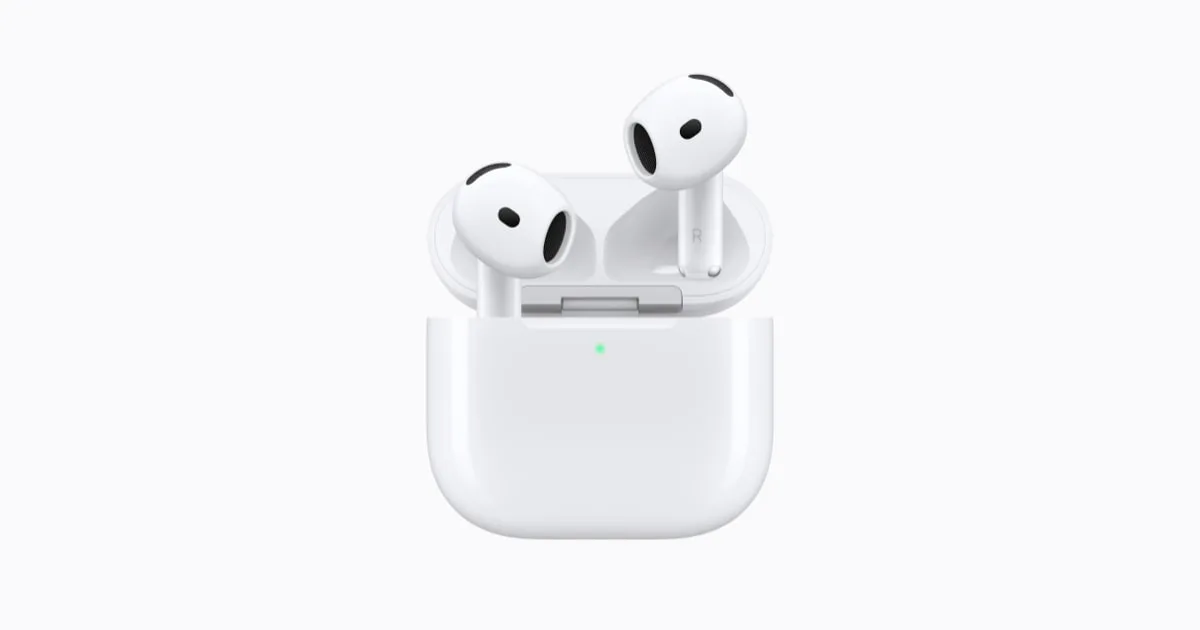
Two changes reached beyond the US. Live Translation with AirPods had been held back in the EU, which Apple said needed more time under the Digital Markets Act, as MacRumors reported. iOS 26.2 brought it to the EU, on an iPhone 15 Pro or newer with AirPods Pro 3, AirPods Pro 2 or AirPods 4 with ANC. The update also carried the software behind Japan's alternative app stores, which our legal explainer covers. Apple's security notes list two WebKit bugs that Apple said may have been exploited.
February 11, 2026: iOS 26.3
iOS 26.3 shipped with matching Mac and Watch updates, Engadget reported. 9to5Mac listed the main changes. Apple's security notes include a dyld flaw that Apple said may have been used in a highly targeted attack. A notification forwarding feature seen in betas was reported as EU-only; 9to5Mac said it wasn't in the final release, while Engadget listed it, so we treat it as not part of 26.3.
Transfer to Android. Apple's support guide describes the path: Settings, General, Transfer or Reset iPhone, Transfer to Android. You scan a QR code on the Android phone and pick what to move, including photos, contacts, messages and call history. The Android phone needs a compatible version of Android 17. Your eSIM can move too with certain carriers, including AT&T, FirstNet, T-Mobile and Verizon in the US. The support page is still live and lists the same steps.
Limit Precise Location. This setting gives cellular networks a rougher location, such as a neighborhood, MacRumors explained. It doesn't change what apps or emergency services see. It needs Apple's C1 or C1X modem, so it wasn't available on the iPhone 17 or iPhone 16. Apple's current support page lists the iPhone Air, iPhone 16e, iPhone 17e and cellular M5 iPad Pro. It's on by default with carriers in Austria, Denmark, Germany, Ireland, Thailand and the UK. No US carrier is named now, and the page doesn't list the iPhone 18 Pro or iPhone Duo.
March 4, 2026: iOS and iPadOS 26.3.1
A day after Apple announced its new monitors, MacRumors reported iOS and iPadOS 26.3.1 with support for the Studio Display and Studio Display XDR. MacRumors' launch coverage said Apple silicon Macs would support the XDR after macOS 26.3.1, and Intel Macs wouldn't support it at all. Apple's spec pages for the Studio Display and Studio Display XDR set the rules. Macs with M1-family, M2 or M3 chips drive the XDR at 60Hz. Only the M5 iPad Pro runs it at 120Hz. Some older iPads get only USB 2 speeds from the display's ports. Camera features and display firmware updates need a connected Mac. Our Mac desktops and displays explainer covers the screens themselves.
March 24, 2026: iOS 26.4, without the new Siri
MacRumors reported the release. It added eight emoji, including an orca and a trombone, as BGR listed. Apple Music gained Playlist Playground, which builds a playlist from a description; BGR said it was a US-only beta at first. There were also accessibility settings to reduce bright flashes and calm Liquid Glass animations. BGR reported that Stolen Device Protection became on by default.
The bigger story was what was missing. In February, MacRumors reported that the first 26.4 beta had no new Siri features, after Bloomberg's Mark Gurman said the update had slipped because of slow responses and mishandled requests. Apple told CNBC the new Siri was still coming in 2026. It arrived as Siri AI with iOS 27 on September 14. Apple's WWDC announcement lists the requirement: iPhone 15 Pro or any iPhone 16 or later. In its October update, Apple added five more languages.
May 11, 2026: iOS 26.5 and encrypted RCS
Apple announced that end-to-end encrypted RCS was rolling out as a beta for chats between iPhone and Android. It needs iOS 26.5, a supporting carrier and the latest Google Messages on the Android side. Encryption is on by default and switches on gradually, and a lock icon marks encrypted chats. MacRumors listed the other changes, including Suggested Places in Maps. Apple also released security updates for older devices that day.
To check, go to Settings, Messages, RCS Messaging and look for the End-to-End Encryption (Beta) switch. Droid Life listed AT&T, T-Mobile and Verizon among supporting US carriers, plus prepaid brands such as Cricket, Metro, Mint Mobile and Visible. When the first iOS 27 beta arrived in June the switch was missing, which 9to5Mac reported was most likely a build side effect rather than a rollback. We found no confirmation from Apple that the feature has left beta.
July 27, 2026: iOS 26.6
MacRumors described it as one of the last iOS 26 updates. 9to5Mac's rundown found more than 75 security fixes and a rework of the Spotlight index ahead of iOS 27, meant to shorten the slow, warm phase after the big upgrade. It also added a blocked-contacts limit alert. An anti-snatching lock seen in beta code wasn't switched on.
August 17 and September 8, 2026: iOS 26.6.1 and 26.6.2
9to5Mac reported that iOS 26.6.1 promised only security fixes, mostly in WebKit. Apple's security notes list 35 entries across 11 areas, none flagged as exploited. iOS 26.6.2 had one fix, for a bug that blocked software downloads over cellular, MacRumors reported. Neither added features.
September 14 to November 9, 2026: the iOS 26.7 security track
When iOS 27 shipped, Apple kept a separate iOS 26 track. Apple's security releases page shows the dates:
| Update | Date | What it was |
|---|---|---|
| iOS 26.7 | September 14 | Security fixes, alongside iOS 27 |
| iOS 26.7.1 | September 28 | Security fixes |
| iOS 26.7.2 | October 26 | Security fixes |
| iOS 26.7.3 | November 9 | Security fixes |
Apple's notes for iOS 26.7.3 list eight fixes, against nine in iOS 27.2.1, mostly in the same components. The one area missing from 26.7.3 is App Intents. The same day, iOS 18.7.12 arrived for the iPhone XS, XS Max and XR, with six fixes listed in its security notes. Apple's developer releases page shows the builds.
How long will iOS 26 get security fixes?
Apple doesn't publish an end date. Its last cycle is the best guide. Apple's security page shows iOS 18.7.8 on April 22, 2026 still going to iPhones up to the iPhone 16 and 16e. From iOS 18.7.9 in May, the list shrank to the iPhone XS, XS Max and XR, which can't run iOS 26. If Apple repeats that pattern, iOS 26 fixes for phones that could upgrade may continue into spring 2027 and then stop. That's our inference from one previous cycle, not an Apple commitment.
What it means if you're buying now
- Check a used iPhone's version in Settings, General, About. It should be on iOS 26.7.3 or later, or iOS 27.2.1. A phone on an older point release is missing months of security fixes and should be updated before you sign in.
- You can't go back. Apple's security page says installed updates can't be rolled back. A new iPhone 18 Pro ships with iOS 27. The iPhone 16 ($799) supports both, but which version a new unit ships with depends on its stock date.
- Staying on iOS 26 is a temporary choice. It's safe today, but you miss iOS 27 features, including Siri AI on supported models. Our guide to updating to iOS 27.2.1 helps decide, and our backup guide comes first.
- For Siri AI on a used phone, get an iPhone 15 Pro or newer. Every iPhone Apple sells qualifies, including the iPhone 17e, iPhone 17 and iPhone Air.
- For the carrier location limit, the iPhone Air or iPhone 17e are the ones to choose, and check carrier support outside Europe and Thailand.
- Encrypted RCS and Android transfer work on any iPhone running iOS 26.5 or later, so they aren't a reason to pick one model. Live Translation with AirPods Pro 3 needs an iPhone 15 Pro or later.
- Pairing a Studio Display XDR? Use a recent Mac mini, Mac Studio or M5 iPad Pro for 120Hz. The M4 iPad Air works at 60Hz.
Moving from a Galaxy phone instead? Our sister site OrbitVerdict shows how long a Samsung will still get updates. Compare current iPhones with our compare tool, check the price tracker, trade-in guide and buy-now guide, and watch our news page for the next round of updates.
Sources
- MacRumors: iOS 26.2
- 9to5Mac: iOS 26.2
- Apple: iOS 26.2 security notes
- MacRumors: Live Translation in the EU
- Engadget: iOS 26.3
- 9to5Mac: iOS 26.3
- Apple: iOS 26.3 security notes
- Apple: transfer to Android
- MacRumors: Limit Precise Location
- Apple: Limit Precise Location support
- MacRumors: iOS 26.3.1
- MacRumors: Studio Display XDR
- Apple: Studio Display specs
- Apple: Studio Display XDR specs
- MacRumors: iOS 26.4
- BGR: iOS 26.4 features
- MacRumors: no new Siri in iOS 26.4
- MacRumors: iOS 27 released
- Apple: WWDC 2026 Apple Intelligence and Siri AI
- Apple: Siri AI in more languages
- Apple: encrypted RCS
- MacRumors: iOS 26.5
- Droid Life: encrypted RCS carriers
- 9to5Mac: RCS encryption missing in iOS 27 beta 1
- MacRumors: iOS 26.6
- 9to5Mac: iOS 26.6
- 9to5Mac: iOS 26.6.1
- Apple: iOS 26.6.1 security notes
- MacRumors: iOS 26.6.2
- Apple: security releases
- Apple: iOS 26.7.3 security notes
- Apple: iOS 18.7.12 security notes
- Apple Developer: releases
Part of our iPhone buying hub: every iPhone guide in one place.
Found something out of date? Tell us and we'll fix it and log the change on our corrections page.